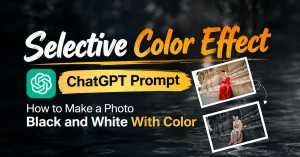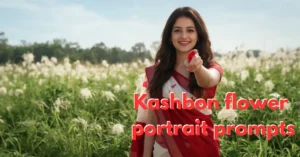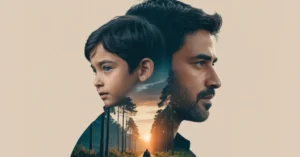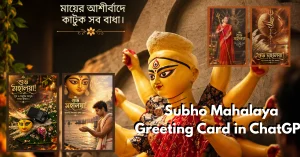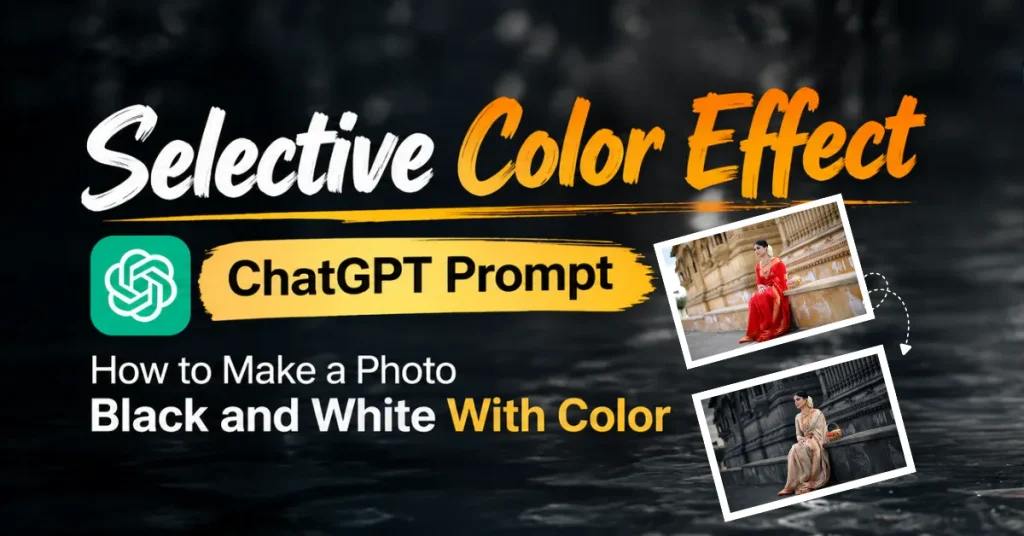
The Selective Color Effect is a photo editing style which is trending over the social media platforms and internets.
The fun fact is most of the image is converted to black and white or heavily desaturated.
Only the selected colors remain visible and this complex photo editing in Photoshop or Lightroom may not easy for normal users.
It is also commonly described as a Color Splash Effect, Color Pop Effect, or Selective Coloring.
This blog article reveals the best easy copy paste prompt that can convert any ordinary image into a cinematic selective color portrait.
What Is a Photo Called When It Is Black and White With Color?
When a photo is convert into black and white with color in selective area or subject then it is called Color Splash Effect.
It also known as Color Pop Effect and it is a complex different technique used in photo editing.
But, you no need to worry about recreate a desaturated background image.
because this article gives you a master prompt can easily transform a ordinary image into a cinematic image.
You can say that Color Splash is commonly used for the dramatic version and it is specially design for set a particular image’s background black and the object’s color remains vivid.
Also read
Cinematic AI Photo Editing Prompts for Epic Bollywood-Style Portraits (opens in a new tab)
You must try these cinematic AI photo editing prompts to express action poster look. This prompt transforms an ordinary portrait…
So, ead this blog psot tilled to reveled the best prompt that you can run on Google Nano banana or Ideogram apart from ChatGPT.
Bets part is you no need iPhone 17 pro or Sumsang S series smart phone for capture these type of images.
Simply upload a image and copy -paste the prompt from this page on chatgpt and run the prompt.
Within a few seconds , you will get the image that has reduceed background saturation rather than simply crushing it to black.
Selective Color Effect ChatGPT Prompt
Instead of making everything outside the subject pure black and white, the background can be pushed toward charcoal, cool gray and subtle blue-gray tones.
You can easily download or share this prompt on any social media platform.
The Selective Color Effect can usually be difficult to achieve manually in photo-editing apps.
Here is the selective color effect ChatGPT prompt
Edit the uploaded image into a dark, cinematic selective-color portrait while preserving the original subject exactly. Keep the woman’s identity, facial features, skin texture, hairstyle, sari, jewelry, pose, hands, body proportions, framing, camera angle, background structure and all original objects unchanged. Do not redraw, replace, beautify, reshape or add/remove anything.

Create a deep moody “dark cinematic” color grade: strongly desaturate the entire environment, foliage, grass and background into near-monochrome charcoal, black, cool gray and subtle blue-gray tones. Reduce background color intensity dramatically while retaining natural texture and detail. Keep the woman’s skin naturally warm and realistic, with clean highlights and slightly warm midtones. Preserve the sari’s original light gray/cream appearance and selectively retain its small orange-red decorative patterns as the main color accents. Keep the red/orange details on the sari and flowers subtly vivid but controlled.

Increase cinematic contrast with rich deep blacks, soft but defined highlights, slightly lowered exposure, cool shadows, gentle warm skin tones, atmospheric depth, subtle vignette and professional Adobe Lightroom-style tonal separation. Maintain realistic skin pores and fabric texture. Add a refined cinematic depth effect without artificial blur or excessive HDR. The final image should feel sophisticated, dramatic, dark, natural and professionally color-graded, matching a premium editorial portrait.

Do not add any title, heading, logo, website name, decorative text, graphic elements or typography anywhere else in the image. At the extreme bottom-right corner only, add the exact text: “Download Promt: www.photoeditprompts.in” in simple straight light-bold white sans-serif text, small, clean, unobtrusive and fully legible. No other text.Here are the some results of this about Photo Black and White With Color.
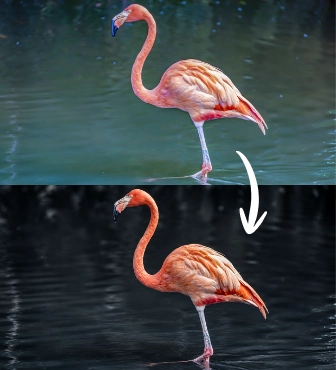
The technique works by reducing or removing most of the color from the environment while keeping selected colors visible.
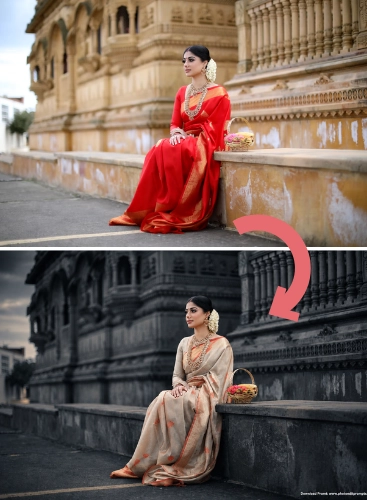
Conclusion
In this guide, we’ll show you how to create a darker cinematic version of this effect using a ChatGPT photo editing prompt.
This prompt is the simplest and powerful way to make the main subject stand out by combining natural color with a dramatic monochrome background.
I have colledted this prompt from one of my best who is working in USA in a magaine design company.
Now, anyone can create this selective coloring image with a right ChatGPT photo editing prompt.
You can create a dark cinematic look by preserving the original subject.
Try the prompt on your own photo and turn an ordinary image into a cinematic selective color portrait with just a few edits.
Are you ready for a image masterpiece with image effects like desaturation, monochrome, color retention, tonal separation etc.