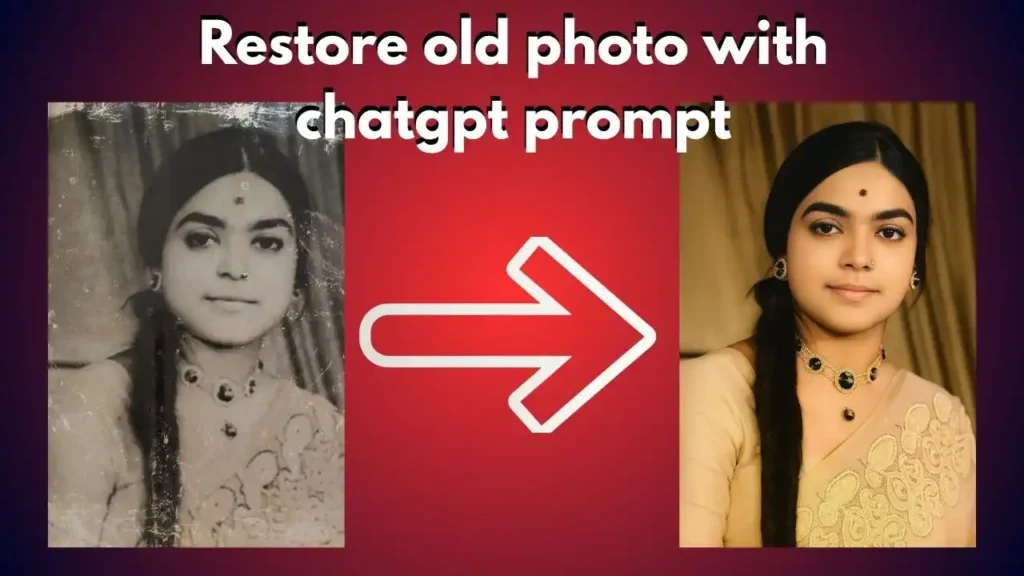

How to Restore old photo with chatgpt prompt- This question may come to your mind when you are trying to restore your family’s old and vintage images.
In this blog post, we will learn great tips to restore old photos with ai Chatgpt.
In this era of AI, we can easily restore old photos to new photos at no cost using a few lines of text or a prompt.
Nowadays, ChatGPT provides the ultimate photo editing solution, and within a few minutes you get your result.
Explore the best and undisputed AI restore old photos prompts in this blog post.
Please write in the comments, write your need and we will share the prompt.
Restore old photos with ai
When you’ve got a box of faded- it is full of scratched-up family photos — do you want to create these like realistic images?
If you do not know how to restore or colourise these old vintage images?
This blog post will help you solve this problem with no knowledge of expensive software.
If those memories are too special to lose, there’s a simple fix: restore old photos with AI.
No need to mess with complicated software and the easy way is just to upload your image in ChatGPT,
and the AI handles everything to create your blur and damage image.
ChatGPT will clear up blur, fix colors, and even repair damage like tears or stains.
It’s like giving your photo a second life and grabbing the happiness of someone special returning home.
Whether it’s your grandparents’ wedding shot or a childhood picture that’s seen better days,
Remove all white marks, spots, dust, scratches, and blemishes while perfectly preserving the exact facial structure, eyes (shape/color), nose, lips, hair (style/color), and skin tone for this image. Maintain original lighting and shadows. Use advanced inpainting only for damaged areas. Keep all facial features 100% identical. High-resolution, natural results with no AI artifacts.AI can bring out details you haven’t noticed in years.
And the best part? You don’t need editing skills to get professional-looking results.
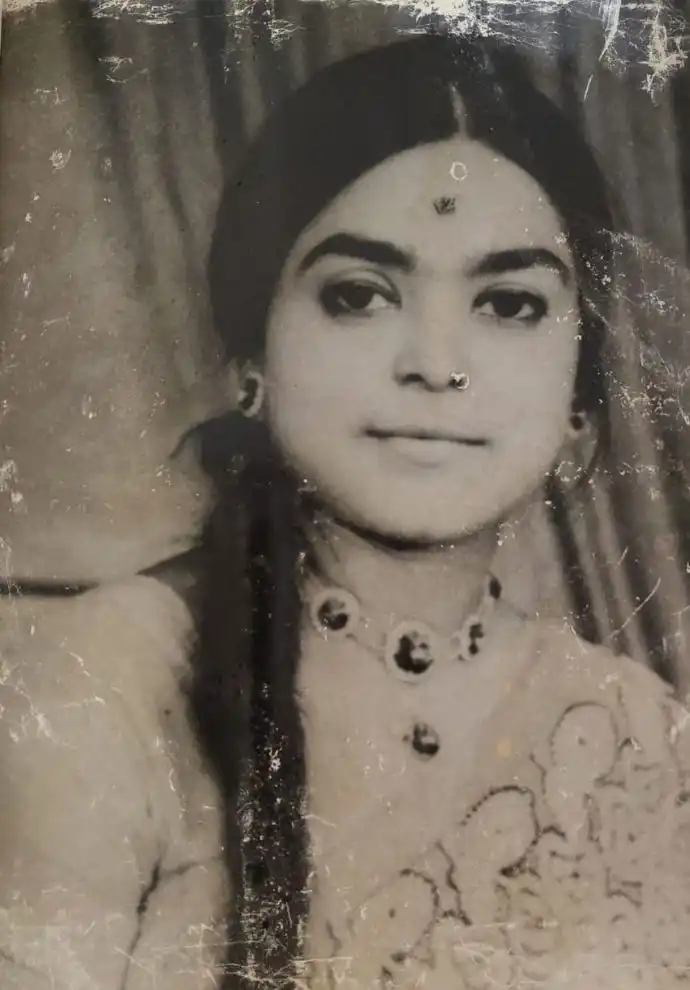
So instead of letting those old photos collect dust, let AI bring them back to life using this blog post prompt.
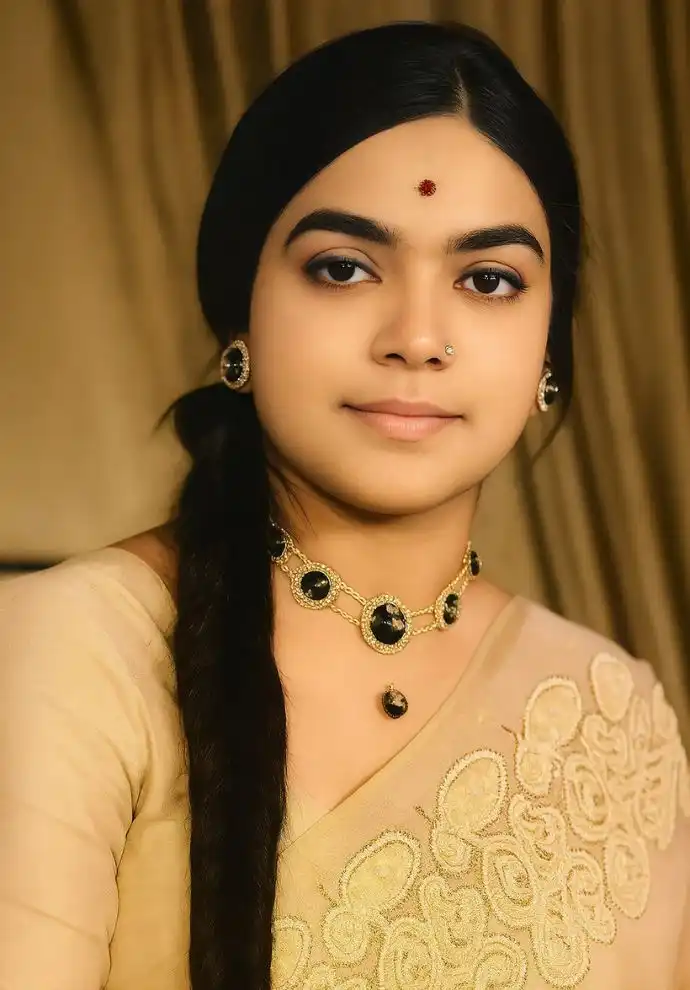
It’s fast, surprisingly accurate, and super easy to try,
only you only need to copy from this blog post and paste in ChatGPT.
Do not forget to add your old photo with this prompt on ChatGPT.
The results might amaze you, write in the comments on “Restore old photo with chatgpt prompt” and
what more corrections you want in your old photos..
Conclusion
Restoring an old photo with ChatGPT can be a simple way to bring back memories from the past. With the right prompt,
you can improve the clarity, reduce scratches, fix fading, and make the photo look better.
But remember, the main goal is to keep the photo looking like the original.
Always ask ChatGPT to preserve the person’s face, expression, clothes, and background. This helps you keep the real memories without changing important details.
Try the prompts shared in this article with your old family photos. You may be surprised to see how much clearer your memories can look.