How to Recreate a High-End Fashion Composite with AI
By photoeditprompts.in · Updated November 5, 2026
Prompt
0
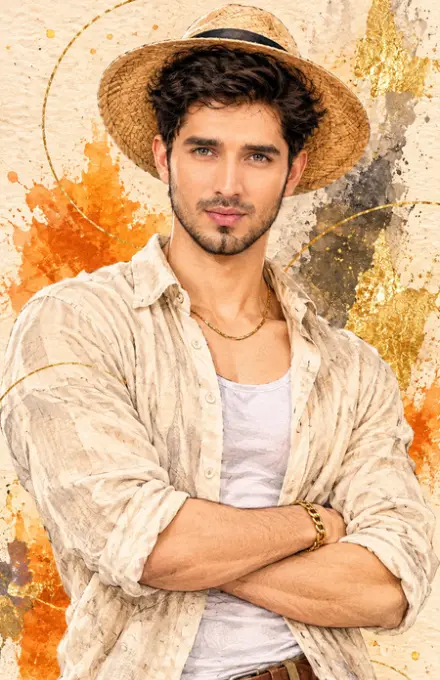
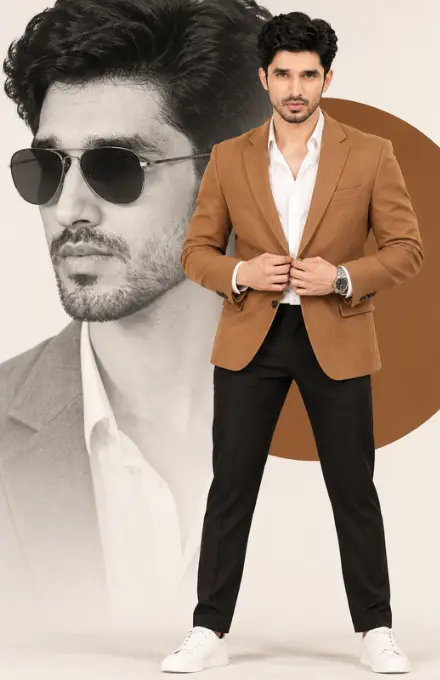
A high-end fashion editorial composite. In the foreground, a full-body shot of a handsome, athletic man with dark, styled wavy hair and a short, neat beard. He is standing with legs shoulder-width apart, hands clasped together at chest level adjusting his jacket, looking directly at the camera with a serious, confident expression. He is wearing a tailored camel-brown blazer over a crisp white open-collar shirt, slim-fit black trousers, and clean white leather sneakers. He has a silver watch on his left wrist. Behind him, serving as the background, is a massive, oversized, desaturated black-and-white close-up profile of the same man wearing dark aviator sunglasses, looking to the left. In the background, there is a large, solid, warm brown circle acting as a framing device behind the foreground man's torso. The overall background is a clean, off-white studio backdrop. Professional studio lighting, sharp focus on the foreground subject, commercial fashion photography, photorealistic, 8k resolution. –ar 3:4
Hashtags
- Occasion
- Cinematic
- Aspect ratio
- 1:1 (1024×1024)1200×6281920×1080 (16:9)4:5 (1080×1350)9:16 (1080×1920)
- Quality
- 1080p4K8K
- Prompt type
- Direct prompt
You may also read
More articles →- AI Cineatic 8K Video Prompt
How to Create a Dhanteras Wish Video with Your Own Photo and Name Using AI
- AI Cineatic 8K Video Prompt
Wedding Cinematic 8K Video Prompt
- AI Mobile Wallpapers Free
7 Happy dhanteras greetings with name
- AI Cineatic 8K Video Prompt
Create a Realistic AI Video of Hanuman Ji Free Guide
How to use this prompt
- Press Copy prompt to copy the full prompt.
- Open ChatGPT and start a new image.
- Paste the prompt and set the aspect ratio to 1:1 (1024×1024).
- Generate, then adjust a few words to make it your own.
More prompts like this
Decent woman dslr look image prompt (opens in a new tab)
photoeditprompts.in
Cinematic fine-art beautiful girl prompt (opens in a new tab)
photoeditprompts.in
Woman cinematic close-up portrait prompt (opens in a new tab)
photoeditprompts.in
Man photorealistic artistic prompt (opens in a new tab)
photoeditprompts.in
Instagram-style split-screen portrait prompt (opens in a new tab)
photoeditprompts.in
3D Cartoon Character AI Photo Editing Prompt (opens in a new tab)
photoeditprompts.in
New Year 2027 AI Photo Editing Prompt (opens in a new tab)
photoeditprompts.in
Cinematic fine-art photograph for man prompt (opens in a new tab)
photoeditprompts.in