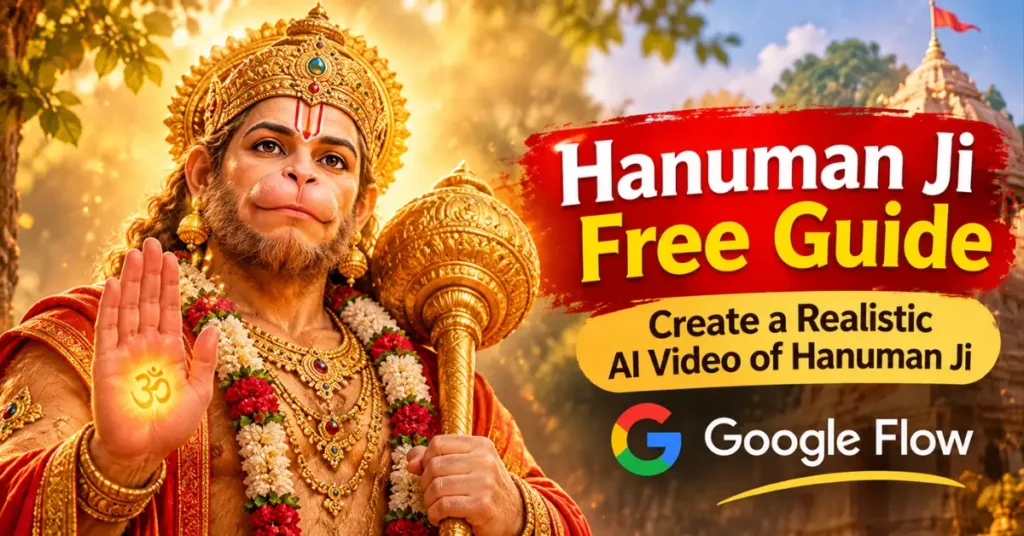

A few days ago, when I went to my village, I saw a Hanuman Ji temple. After seeing the Hanuman Ji temple,
one thought came to my mind: Can I create a realistic AI video of Hanuman Ji or not?
From an AI artist’s point of view, this work can be as easy as it can be complicated.
If I cannot give the right prompt to an AI video maker in the right way, then…
So, first of all, I decided to use Google to create an AI video.
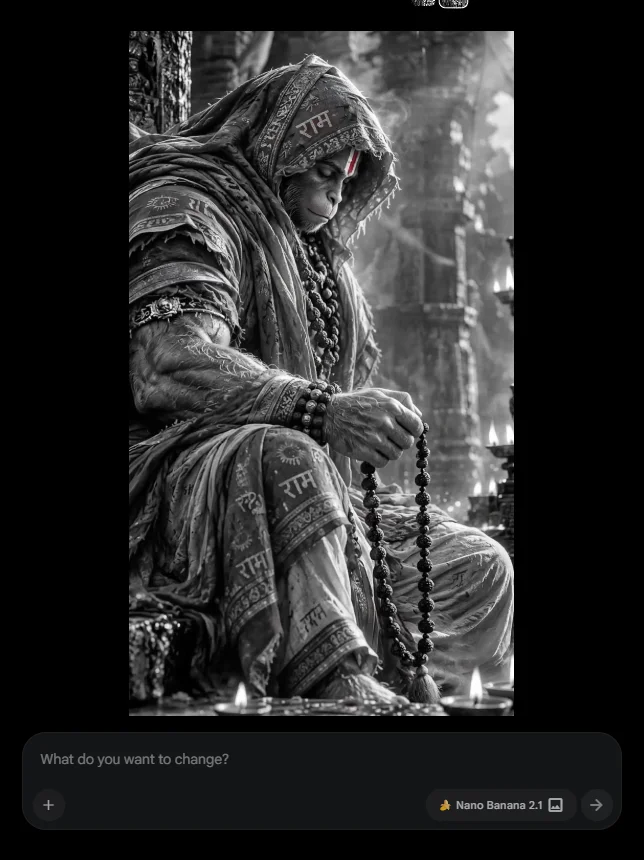
After that, I searched for an image of Hanuman Ji on the Pinterest.com website.
Pinterest is an easy platform where you can get any video or photos of Hanuman Ji.
In our case, we needed a photo, which I easily downloaded from Pinterest as my reference image.
Lets dive into real world of Ai video editing and explore the easy ,simple step by step video or Create a Realistic AI Video of Hanuman Ji.

Also read
7 Realistic Cinematic Chhath Puja Images Prompts (opens in a new tab)
Are you looking for Realistic Cinematic Chhath Puja Images Prompts? Try these creative ideas to generate stunning festive photos with…
Steps for Create a Realistic AI Video of Hanuman Ji
Are you rady to follow this easy guide to create a beautiful, realistic and cinematic AI video of Lord Hanuman?
Let’s generate breathtaking Hanuman AI videos with realistic expressions, divine backgrounds and smooth animation with this prompt.
After that, I directly went to the Google Flow website.
You can easily find the website. For that, you have to search for Google Flow on Google.com.
Open the first link that appears. After that, you can log in there using your Gmail account.
After login, you will get a new project option.
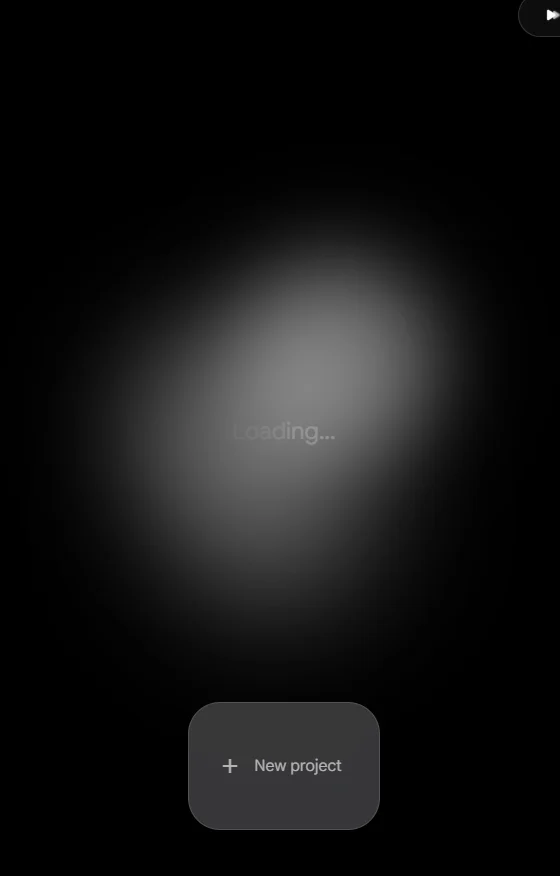
If you do not want to work on Google Flow through your browser,
you can also install the Google Flow app, as we have shown in this video tutorial.
If you install the app, then again, you can log in using your Google account. I mean, you can log in using your Gmail account.
Also read
11 Best Panchmukhi Hanuman Wallpaper 4K: Gemini AI Wallpaper Prompts (opens in a new tab)
This blog is for Hanuman lovers and you can best Panchmukhi Hanuman Wallpaper 4K along with Gemini Ai prompts. Are…
After logged in on App, Just follow all the steps will be as follows:-
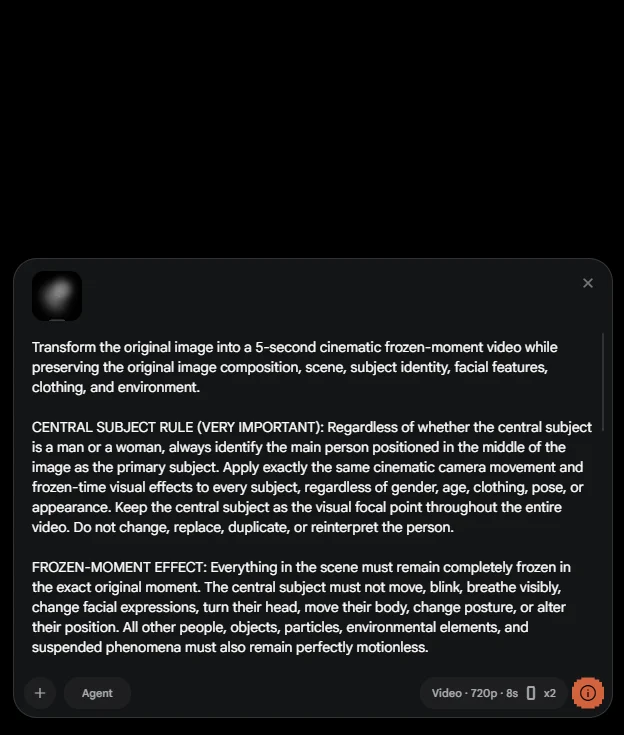
- Step 1: Click on the Plus icon in the project window. A new project window will open.
- Step 2: Now click on + anf click on Images.
- Step 3: Attach the image of Hanuman Ji.
- Step 4: Copy and paste the Hanuman Ji video prompt given below.
- Step 5: Now, click on the Run button.
After that, you will see that Google Flow will automatically process everything and give you a realistic video.
The good thing is that you will also get background music along with the video, which is copyright-free.
Tips for Hanuman Image to Video
Give Lord Hanuman a lifelike appearance with stunning 3D animation, cinematic lighting and smooth video effects.
Writing a video prompt may sound easy, but it is not that easy because you have to pay attention to every small detail.
Experience the magic of AI by turning Lord Hanuman images into realistic 8K videos.
Especially, you have to write that you want a realistic cinematic video,
where your camera movement will be, what your camera angle will be, and how you want to show the subject through this video.
You also have to mention the subject’s sitting position or standing position.
Now, you can transform a simple Hanuman photo into a divine cinematic AI video that looks incredibly realistic.
How to Create a Realistic AI Hanuman Ji Video Using Google Flow?
I hope this tutorial on creating a realistic AI video of Hanuman Ji will help you to a great extent.
There is no doubt about it. If you are a new user, you may need to practise more than once. One good thing is that you can customise or modify the prompt I have provided for creating the Hanuman Ji video.

Also read
Happy Dhanteras Gemini Prompt: Download 17+ Aesthetic Wish Messages (opens in a new tab)
After the Lakshmi Puja, another famous festival is waiting for Hindus, and this Dhanteras festival cannot be complete without Happy…
For example, the camera angle that moves from left to right can be changed to right to left.
Creating a realistic AI video of Hanuman Ji with Google Flow is easier than you might think. With the right image and a creative prompt, you can turn a static picture into a stunning cinematic video.
Along with this, you can also write at the end that in the last frame, Hanuman Ji should raise His head, look up and give a gentle smile.

Also read
25 Best Laxmi Puja Images Prompts for Chatgpt (opens in a new tab)
This upcoming Sharad Purnima, on Sunday, October 25, 2026, Laxmi Puja will be celebrated in many places in India. On…
You can modify this prompt according to your preferences and use any camera angle you like.
The secret to creating an impressive Hanuman Ji AI video lies in choosing a high-quality reference image and writing a detailed animation prompt.
If you need this prompt, you can copy it with just one click from the prompt given above in the description.
Realistic AI Hanuman Ji Video Prompt
Make your Hanuman AI video stand out with natural animation, dramatic camera movements and stunning cinematic effects.
Transform the original image into a 5-second cinematic frozen-moment video while preserving the original image composition, scene, subject identity, facial features, clothing, and environment.

CENTRAL SUBJECT RULE (VERY IMPORTANT): Regardless of whether the central subject is a man or a woman, always identify the main person positioned in the middle of the image as the primary subject. Apply exactly the same cinematic camera movement and frozen-time visual effects to every subject, regardless of gender, age, clothing, pose, or appearance. Keep the central subject as the visual focal point throughout the entire video. Do not change, replace, duplicate, or reinterpret the person.

FROZEN-MOMENT EFFECT: Everything in the scene must remain completely frozen in the exact original moment. The central subject must not move, blink, breathe visibly, change facial expressions, turn their head, move their body, change posture, or alter their position. All other people, objects, particles, environmental elements, and suspended phenomena must also remain perfectly motionless.

No unwanted animation, body movement, facial movement, blinking, hair movement, clothing movement, object movement, rotation, drifting, floating, levitation, or environmental changes.

CAMERA MOVEMENT ONLY: Only the camera is allowed to move. Create one smooth, controlled, cinematic bullet-time camera movement lasting exactly 5 seconds. Use a subtle, elegant 3D orbital movement or a gentle open lateral camera arc around the central subject.

Maintain the central person in the middle of the composition and keep their face and body clearly visible throughout the entire camera movement. Preserve realistic perspective, spatial depth, proportions, and the original scene geometry.

The camera movement must feel like a high-quality professional Hollywood bullet-time shot, revealing the three-dimensional relationship between the central subject and the surrounding environment.

STRICT MOVEMENT RESTRICTIONS:

- No 360-degree rotation.
- No camera return to the starting position.
- No looping or resetting at the end.
- No camera shake or sudden acceleration.
- No zoom distortion or artificial perspective changes.
- No subject movement whatsoever.
- No background movement or independent object animation.
- No scene transitions or changes to the original composition.
- No passing through walls, objects, or solid surfaces.

If there are multiple people in the image, keep all of them completely frozen while prioritizing the person positioned in the middle as the main visual focal point.

FINAL OUTPUT: The result must look like an authentic, ultra-realistic, cinematic 5-second live-action bullet-time video created from one single frozen instant. The entire scene remains perfectly still while the camera performs one smooth, natural, controlled 3D orbital movement around the central subject.

Preserve the original person's identity, appearance, expression, pose, and every important detail of the original image. Only the camera moves. No other motion is permitted.FAQs
How do I make my Hanuman Ji AI video look more realistic?
To make your Hanuman Ji AI video look more realistic, use a high-quality reference image and write a detailed prompt. Include natural body movements, smooth animation, realistic lighting, cinematic camera motion and detailed backgrounds for a visually impressive result.
Can I convert a Lord Hanuman image into a realistic AI video?
Yes! You can use Google Flow’s image-to-video feature to transform a still image of Lord Hanuman into an animated video. Add a suitable prompt describing natural movements, cinematic camera effects and realistic animation.
How can I create a realistic AI Hanuman Ji video using Google Flow?
You can create a realistic AI Hanuman Ji video using Google Flow by uploading a high-quality Hanuman image and entering a detailed video generation prompt. Describe the character’s movements, camera angles, lighting and background to generate a stunning cinematic video.
Conclusion
Create a majestic cinematic video of Lord Hanuman using simple AI tools and creative prompts.
One benefit I would also like to mention here, which is important to include in the conclusion, is that you can easily run this prompt on Google Flow.
Also read
31+ Maa Kali Photo HD Wallpaper Download: Best ChatGPT Prompts (opens in a new tab)
Maa Kali Photo HD Wallpaper Download: Do you want to give your phone a devotional look with a beautiful Maa…
This is because a Google Flow account initially gives you 50 credits, which are 100% free. With these 50 credits, you can create at least one or two videos for free. There is no doubt about it.
If you liked this AI Hanuman Ji video tutorial, please visit our YouTube channel, like and subscribe.
Also, do not forget to give this article a like. If you have any doubts or questions, you can write them in the comments below.
Thank you. Jai Hanuman Ji!