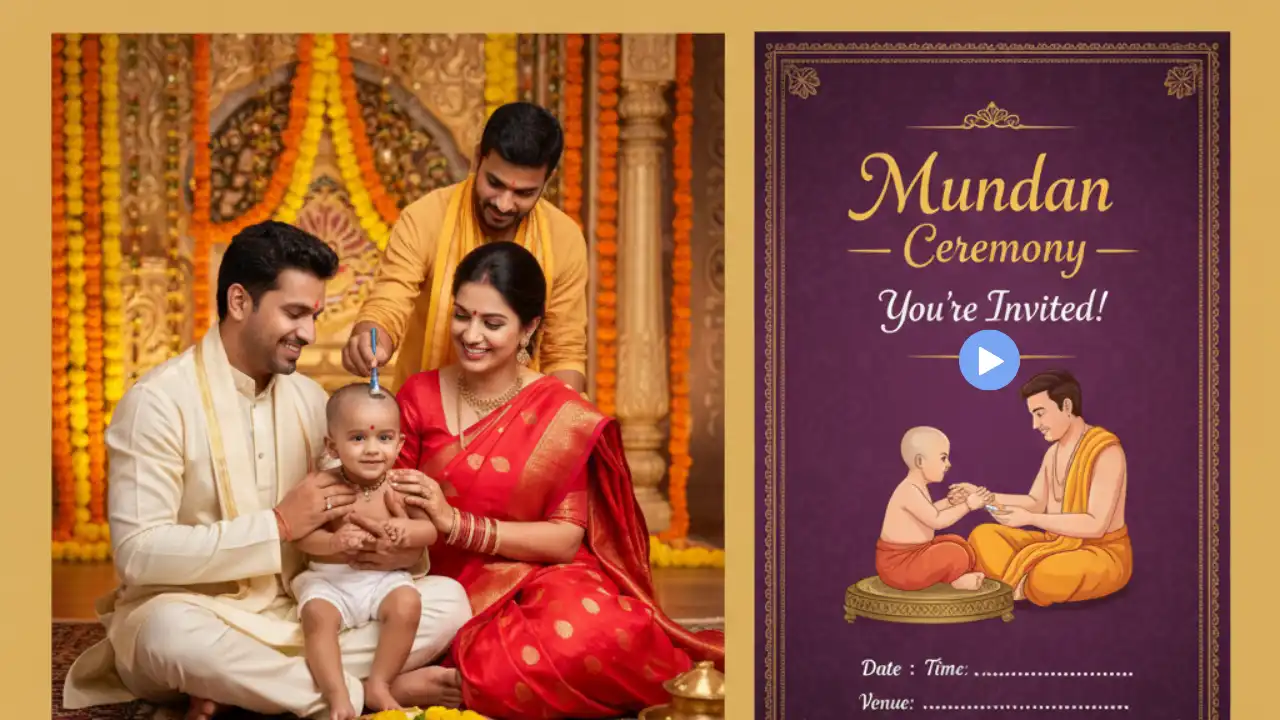
How To Make Mundan Ceremony Invitation Video has become surprisingly simple and easy.
It is very important ritual for every Indian and parent love to invite relatives for their baby’s first haircut ritual.
I remember struggling with traditional tools, but I discover the best easy and free method for it and it will take less than 1 minutes for mundan invitation video.
Because many ai tools are coming with new video making features from still images.
Many tools are free for baby mundan ceremony invitation video.
So, no need to worry about learning Photoshop or stop spending hours of time on the internet.
Let’s dive into the new era of Ai and create or design a stunning, realistic mundan invitation card video in a few clicks.
- Best Tips for Designing a Professional Mundan Ceremony Invitation Video
- How to Make a Mundan Invitation Video Card
- Step-by-Step Guide to Making Mundan Invitation Videos
- Technical Specifications
- Frame & Border
- Top Section
- Floral Elements
- Central Illustration / Photo Area
- Background
- Typography & Text Layout
- Overall Style & Finish
- How to Make Mundan Ceremony Invitation Video?
- Conclusion
- FAQs
Best Tips for Designing a Professional Mundan Ceremony Invitation Video
I believe designing a professional mundan ceremony invitation video must include the exciting and emotional on your card video.
Because families treat this ritual with deep affection and your card includes magic rather than logic.
I strongly believe that choosing the right theme sets the soul of the video.
When using tools like a mundan ceremony video maker, or a mundan ceremony invitation video templates, it may take time and cost. But blog guide you to choosing something that feels sincere rather than overly decorative.
The best part is no need Photoshop or Adobe Premiere Pro video editing skills. Try these prompts to design an invitation card within a few clicks.
I remember crafting a baby mundan invitation video for my niece.
Despite exploring multiple designs, I have chosen the easy time saving path that keeps the simplicity of an Indian traditional mundan invitation video.
How to Make a Mundan Invitation Video Card
This is true. WhatsApp has replaced envelopes, and we also need to change our working traditional process.
Ai is exploring all the fields and creating a mundan invite is a matter of a few seconds for it, because there are many tools are present on the internet that can easily give personal and memorable touch to your invitation cards.
The first point is videos communicate emotion better and you can make it more suitable when give the soft music in background.
It is time to forget that static or template design for cards, use your own creativity and make a remarkable design in a few clicks.
People are using tools like Canva for invitation video editing, but it needs a subscription plan.
That’s why, This blog reveals the easy copy paste and fee AI invitation card design without using Photoshop software.
I believe that ignoring video invites now feels outdated. AI isn’t replacing tradition; instead, it preserves it digitally.
Step-by-Step Guide to Making Mundan Invitation Videos
This guide solves that exact tension and I am sure Gemini ai card design prompts, including ai invitation
video prompts, can help you create a beautiful mundan invite visuals.
Mundan Invitation Card Prompt
Create an ultra-high-resolution 8K cinematic invitation poster for a traditional Indian Tonsure Ceremony, designed with professional Photoshop realism and illustration finesse.
Aspect Ratio: Vertical poster (A3 / 4:5)
Resolution: 8K, Full HD clarity, ultra-sharp details, print-ready
Lighting: Soft cinematic ambient lighting with warm highlights and gentle shadowsFrame & Background:
The top of the poster is framed with lush, realistic green foliage intertwined with delicate soft-pink roses, rendered with high botanical detail. On both sides, ornate golden hanging oil lamps (kuthuvilakku) with intricate Indian carvings glow subtly, casting warm reflections. The background is a soft warm beige parchment texture, with elegant grain and depth, giving a premium handcrafted invitation feel.Lower Foreground:
At the bottom, a vibrant green grass field with tiny orange flowers emerges naturally in the foreground. Large, detailed banana leaves frame the left and right edges, adding strong South Indian cultural identity and visual balance.Main Illustration (Centerpiece):
A high-quality cartoon illustration of a young boy seated cross-legged in prayer. He has curly dark hair tied into a small traditional bun, a red tilak on his forehead, and wears a bright yellow dhoti with a turquoise bead necklace. His eyes are gently closed, hands clasped together, and he carries a wide, joyful smile, radiating innocence, devotion, and celebration. Illustration style is clean vector art with soft gradients, subtle shading, and premium linework, suitable for a professional invitation.Floating near the upper left of the boy, include a metallic silver scissors icon, slightly glowing, tastefully symbolic of the tonsure ritual—elegant, respectful, and non-graphic.
Typography & Text Layout (Professional Invitation Hierarchy):
Text 1 (Top Body Text):
“Mr. Arun Kumar and Mrs. Meena Kumar SOLICIT YOUR ESTEEMED PRESENCE WITH FAMILY ON THE OCCASION OF A”
– Font: Elegant serif
– Color: Deep dark green
– Alignment: Centered, directly below the rose foliage
– Letter spacing refined, clean kerningText 2 (Main Event Title):
“Tonsure Ceremony”
– Font: Bold serif with a playful, slightly bouncy character
– Color: Rich ceremonial red
– Effects: Subtle 3D depth, soft drop shadow, cinematic emboss
– Position: Centered and prominentText 3 (Supporting Line):
“OF THEIR BELOVED SON”
– Font: Elegant serif
– Color: Deep dark red
– Position: Centered below the event titleText 4 (Name – Hero Element):
“Aarav Kumar”
– Font: Cinematic handwritten script
– Color: Deep maroon-red
– Effects: Slight metallic sheen, soft glow, refined calligraphy texture
– Position: Centered, large, and visually dominantText 5 (Date, Time & Venue Block):
“SUNDAY 14th JUNE 2026 BETWEEN 3:00 TO 4:30 PM AT SRI LAKSHMI TEMPLE, GREENFIELD COLONY, CHENNAI.”
– Font: Clean modern sans-serif
– Styling:
– “SUNDAY”, “JUNE”, “2026”, venue details in dark green
– “14th” in bold sans-serif, dark red, underlined for emphasis
– Layout: Centered, neatly stacked, professional spacingOverall Style & Finish:
Indian cultural celebration, festive yet elegant, joyful mood, traditional South Indian aesthetics, premium invitation design, Photoshop pro-level compositing, ultra-clean typography, cinematic depth, smooth gradients, high contrast control, print-ready color grading, luxury event poster quality.
Baby Mundan Invitation Card Design Prompt
Create a luxurious and ornate traditional Indian invitation poster for a Mundan Ceremony, designed in ultra-high resolution (8K) with print-ready clarity and cinematic realism. The overall look should be elegant, festive, and rooted in Indian tradition.
Technical Specifications
- Aspect Ratio: Vertical poster (A3 / 4:5)
- Resolution: 8K, Full HD clarity with ultra-sharp details
- Lighting: Soft, warm, and inviting ambient lighting with subtle highlights and gentle shadows to enhance textures and colors
Frame & Border
- Highly detailed antique golden outer frame with intricate traditional Indian carvings
- Subtle metallic sheen and depth to convey premium handcrafted quality
- Inner border: Rich maroon-red band featuring subtle Indian motifs for contrast and elegance
Top Section
- Centered Lord Ganesha illustration in gold or warm metallic tones (small, elegant, and subtle)
- Below the illustration, centered text:
“|| Om Sri Ganeshaya Namah ||”
- Font: Simple, elegant serif
- Color: Dark brown or maroon
Floral Elements
Top Corners
- Lush bouquets of vibrant pink, orange, and blue flowers
- Intertwined with rich green foliage
- High botanical detail with soft blending for a painted yet realistic appearance
Bottom Corners
- Smaller, delicate floral clusters in pink, white, red, and blue
- Balanced with green leaves to enhance the lower composition
Central Illustration / Photo Area
- Ornate circular golden frame with intricate traditional Indian carvings
- Inside the frame:
- Photo of a smiling baby wearing a small white dhoti or wrap
- Dark hair, joyful expression, looking slightly to the side
- Softly blended edges for seamless integration into the frame
Background
- Soft warm beige/cream parchment texture
- Subtle grain with a slightly aged watercolor effect
- Creates a premium, traditional invitation feel
Typography & Text Layout
(All text aligned centrally with professional hierarchy and spacing)
Invitation Line
“Mrs. Sushma Sharma & Mr. Anil Sharma cordially invite your presence and blessings on the occasion of our son’s”
- Font: Elegant classic serif
- Color: Deep dark brown or maroon
- Position: Below the baby photo
- Styling: Clean kerning and refined spacing
Son’s Name (Hero Element)
“Aarav’s”
- Font: Elegant, slightly playful script
- Color: Rich ceremonial red or deep maroon
- Effects: Subtle soft shadow and refined calligraphy texture
- Position: Centered and prominent
Main Event Title
“MUNDAN CEREMONY”
- Font: Bold elegant serif, all caps
- Color: Rich ceremonial red or deep maroon
- Effects: Subtle 3D depth, soft drop shadow, cinematic emboss
- Position: Centered below the son’s name
Date & Time
“On Sunday 18th October 2026”
“10:30 am onwards”
- Font: Clean modern sans-serif
- Color: Dark brown or maroon
- Styling: “Sunday”, “October”, and “2026” slightly bolder or highlighted
- Alignment: Centered, neatly stacked
Venue Details
Venue:
Shree Ganesh Banquet Hall,
Green Park Extension,
Pune – 411045.
- Font: Clean modern sans-serif
- Color: Dark brown or maroon
- Styling: “Venue:” clearly bolded, professional spacing
- Alignment: Centered
Overall Style & Finish
- Luxurious traditional Indian aesthetic
- Festive, elegant, and sophisticated tone
- Emphasis on heritage, devotion, and celebration
- Professional Photoshop-level compositing
- Ultra-clean typography, cinematic depth, smooth gradients
- Balanced contrast and print-ready color grading
- No watermarks or promotional elements
The mundan is also known as Chudakarana or Chuda Karam and you can design the card by changing the basic information related to your baby and address in these above prompts.
Once the prompt customisation is done, just follow the steps to design the new Chudakarana card:-
- Step 1: Open the Google Gemini website
- Step 2: Login with your Gmail account and after login
- Step 3: Paste the copied prompt on the Gemini prompt area.
- Step 4: Now, hit ‘Submit’ button.
Gemini will process the prompt and within 10 seconds it will give you a realistic Photoshop style pro level Chuda Karam invitation card.
How to Make Mundan Ceremony Invitation Video?
After downloading the invitation card, do the following steps to create the invitation video.
Create a sophisticated animated video invitation from the provided image. The animation should focus on the elegant revelation of text elements in a sequence, rather than object animation.
Sequence and Animation Details:
- Opening: Start with a close-up on the ornate top border, slowly panning down to reveal the full card.
- “// Om Sri Ganeshay Namah //”: Fade in with a soft glow effect, holding for 1-2 seconds.
- Parent Names & Invitation Line (“Mrs. Sushma Sharma & Mr. Anil Sharma cordially invite your presence and blessings of our son’s”): Emerge from the left with a smooth slide-in, slightly staggered for each line, then subtly settle into place.
- “Aarav’s”: Scale up from the center with a gentle bounce, then transition into a subtle shimmer effect.
- “MUNDAN CEREMONY”: Slide in from the right, beneath “Aarav’s,” with a crisp, clean motion.
- Date & Time (“On Sunday 18th October 2026 10:30 am onwards”): Fade in line by line, from top to bottom, with a delicate dissolve.
- Venue (“Venue: Shree Ganesh Banquet Hall, Green Park Extension, Pune – 411405”): Reveal with a typewriter effect, character by character, ensuring readability.
- Baby’s Photo: The photo of Aarav should remain static but have a very subtle, almost imperceptible, breathing animation (gentle zoom in/out or a soft glow) throughout the text revelations.
- Floral Elements: The floral borders should remain static but consider a very subtle, almost unnoticeable, ‘breathing’ effect (e.g., slight color shift, very gentle glow) to add a touch of life without being distracting.
- Overall Tone: Maintain a warm, celebratory, and elegant tone. The transitions should be smooth and professional, without being overly flashy or cartoonish.
- Background Music (Optional but recommended): Suggest adding a subtle, traditional Indian instrumental piece (e.g., light flute or santoor) in the background, or a gentle, heartwarming cinematic track, starting low and building slightly.
- Ending: After all text is revealed, hold the complete card for 3-5 seconds, then slowly fade out to black or to a final elegant flourish of the top border.
- Step 1: Copy the video animation prompt from this page
- Step 2: Open the link of Grok website
- Step 3: Login with your Gmail account
- Step 4:Now, press the run button.
The Grok will create the realistic animated classic invitation video card within a few seconds.
The best part is you can download this card and edit it with music in VN editor and export it as per your video dimension.
Finally, your Mundan Ceremony Invitation Video is ready to share.
Conclusion
How To Make Mundan Ceremony Invitation Video is no longer a complicated task!
because AI tools like Google Gemini and Grok create images from your prompts and videos from those images.
Creativity is a art that you can show using these above card making prompts.
I hope now anyone can create a classic mundan ceremony invitation video online.
The best part is anyone can customise these Indian traditional mundan ceremony invitation cards as per their needs.
Finally, thanks to Gemini ai and Grok, because of these two platforms, we can create or design mundan ceremony invitation video.
Write in the comment section which prompt cherish your video and give the realistic looks.
FAQs
The best way is to use an AI tool that allows you to create or design the card and after that it converts it into a video with animation.
Yes, there are several platforms offering free editors where you can choose layouts, add text, and export in full HD.
You can use MP4 format because it runs smoothly on WhatsApp, Instagram, smart TVs, and even older phones.