Google Gemini Prompt for Cinematic Double-Exposure With Your Childhood Photo
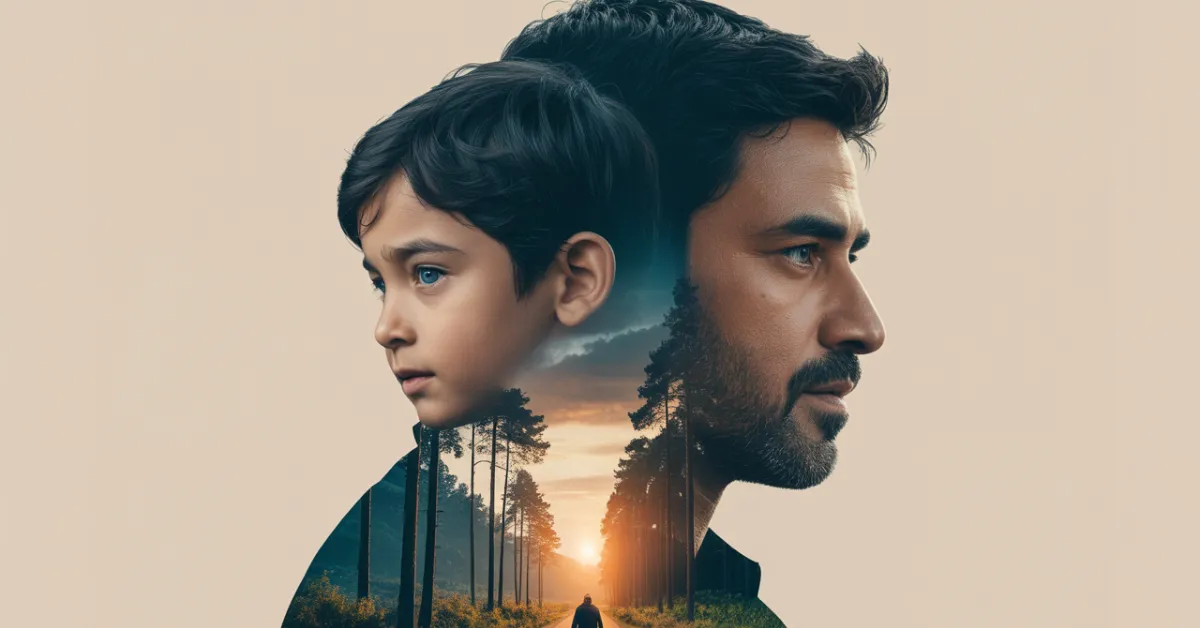
Google Gemini Prompt for Cinematic Double-Exposure With Your Childhood Photo: Your childhood photo isn’t just a memory.
Now-a-days, Using AI, you can convert it into a cinematic story in a single frame.
This blog brings a Google Gemini prompt that transforms any childhood picture into an 8K double-exposure masterpiece within a few seconds.
Our childhood memories are precious, and anyone can twist them with present-day photos in a single frame.
What if I told you that you could turn your 15-year-old photo into a cinematic 8K double-exposure image with just one prompt?
You’ve seen dramatic double-exposure portraits, but have you tried one using your childhood photo?
Let Nano Banana Google Gemini Prompt bring the masterpiece to life in 8K resolution.
This blog gives you one perfect and 100-times-tested prompt for recreating your childhood picture with your latest photo.
Are you ready for a cinematic double-exposure in 8K of your life version?
All right, just stop scrolling past old photos — let’s remix one with Google Gemini and turn it into a cinematic work of art.
How to Turn Childhood Memories into 8K Art with Google Gemini Prompt
AI creators and photographers are using these types of photos and they never tell you the secret.
You can bring back the same double expose visual that express emotional and cinematic vibe in one frame.
Okay, you need to worry about it, because combining childhood nostalgia with Hollywood-grade visuals make easy my Gemini Ai.
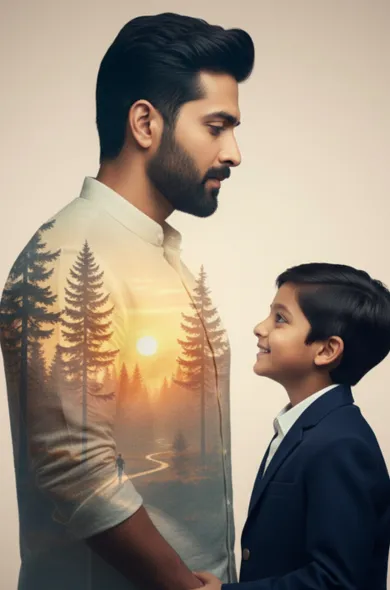
Now, you can create a powerful emotional reaction that drives engagement without paying for expensive photo editing apps.
Prompt
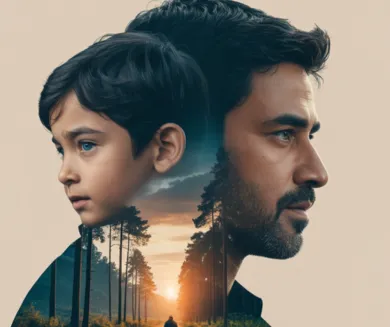
8K realistic and cinematic double exposure portrait of a man (keep the same facial features from image 1) and his young boy (keep the same facial features from image 2). The man is on the right, in profile, looking to the right with a beard and dark black hair. The boy is in front of the man, looking forward with black hair and blue eyes. The boy’s portrait is transparent, revealing a subtle landscape and trees within his form, symbolizing nature and childhood. In the background, a soft golden-hour cinematic scene with a misty forest, distant sunlight filtering through tall trees, and gentle bokeh light effects. The color palette is warm and natural — tones of amber, teal, and soft green — creating emotional depth and a filmic atmosphere
An ultra-realistic 8K cinematic double exposure portrait featuring an Indian man (keep the same facial features from image 1) and young boy (keep the same facial features from image 2) in profile, both facing right with their silhouettes seamlessly blending together. The man stands protectively behind the boy, displaying short dark black hair, a well-groomed beard, and a calm, strong expression, while the boy has soft black hair, bright blue eyes, and a gentle innocent demeanor as they hold hands face to face. Within their merged silhouettes, a breathtaking landscape unfolds showing tall pine trees, a golden sunset horizon, and a small solitary figure walking along a forest road. The composition is set against a soft beige background with cinematic light diffusion, bathed in warm orange and teal tones that create natural contrast and fine realistic texture, evoking a deeply emotional storytelling atmosphere of protection and generational legacy.
According to recent data, AI-generated nostalgic posts see 47% more social shares and 2.3× longer viewed engagement compared to generic AI images.
How to Create Yours (Step-by-Step)
- Upload your childhood photo (preferably a portrait with good lighting).
- Open Google Gemini (available through Google’s AI Studio or integrated tools).
- Paste the cinematic double-exposure prompt.
- Adjust creative settings like lighting, contrast, or tone.
- Let Gemini generate your 8K image — then download or enhance further.
Tip: Use a golden-hour lighting style or soft bokeh background to achieve an emotional, movie-like effect.
Conclusion
Google Gemini Prompt for Cinematic Double-Exposure With Your Childhood Photo isn’t just another AI trend, It’s alive your old memories.
The best part is Gemini turned it into a masterpiece worth framing within a few seconds.
The next time you look at your childhood picture, do not forget to use this Gemini prompt!
Let’s bringing the past to life in cinematic 8K with my present.
Your childhood memory will become a share-worthy piece of art.
FAQs
Q1. What is a “double-exposure” effect in Google Gemini?
A: It’s when you layer two images or textures together (for example: your face + a scenic texture) in the prompt to create a merged cinematic look.
Q2. Why use an 8K resolution when editing a childhood photo?
A: 8K gives ultra-high detail, which means the final image will look sharp even when zoomed or printed — ideal for that cinematic, premium feel.
Q3. Does the face in the original photo need to remain exactly the same?
A: Yes — to maintain recognizability and quality, you should specify in the prompt that the face must remain consistent while style and overlays change.




Leave a Reply